Package Tracking and Query – All Package Companies in One Place
You can track shipments from many package companies operating in the US, UK and worldwide through a single platform. Users can easily find out where the shipment is, what stage it is at, and the estimated delivery date by entering the package tracking number. Our system supports many companies such as FedEx, UPS, DHL, USPS, Royal Mail and more. Thanks to the infrastructure working with up-to-date data, users can track packages from a single point without going to the pages of different companies.
Single Platform
Query all package companies from one place
Current Tracking
Real-time and current package status information
Wide Coverage
All major domestic and international package companies
Secure System
Reliable data from official sources
How Does 'Package Tracker' Shipment Tracking Work?
Package Tracker allows tracking shipments from different package companies from a single center. You can see the current status of your shipments by simply entering the package tracking number. The system reflects current information on the screen using data sources from official package companies. This way, you can query all shipments from a single page without going to individual company websites.
The user-friendly interface is designed to work seamlessly on mobile and desktop devices. With simple and fast query steps, it is possible to access information such as shipment status, estimated delivery time and delivery history. The entire process allows users to save time and experience package tracking from a single point.
Which Package Companies' Shipments Can You Track?
Major package companies such as FedEx, UPS, DHL, USPS, Royal Mail, OnTrac, LaserShip and Canada Post are supported on the system. For international shipments, shipments made through TNT, Cainiao and other global carriers can also be queried from this platform.
In addition, companies that deliver with their own package companies in the e-commerce sector are also included in our system. Orders sent through companies such as Trendyol Express and HepsiJet can be easily queried by entering the package tracking number. Thus, both individual shipments and package transactions originating from internet shopping can be controlled from a single center.
How to Track Package/Shipment?
To track packages, you first need your shipment's package tracking number. This number is located on the package receipt, in the SMS notification message, or within the delivery information provided to you by the seller. After receiving the tracking number, you need to enter it completely and correctly on the query screen.
When a tracking query is made, the system retrieves the current status of the shipment from the package company's database and presents it to you. To find out where your package is and track the shipment status:
Package Tracking Steps
- 1
Prepare the tracking number
Find your shipment's package tracking number. This number is provided to you via SMS, email, or delivery information sent by the seller.
- 2
Go to PackageTracker.net
Enter your number in the package tracking field on the homepage.
- 3
Use the bulk tracking option
If you want to track multiple shipments, you can enter up to 10 tracking numbers one below the other in the same field.
- 4
Select the package company
Select the package company carrying your shipment from the list.
- 5
Track Your Package
Click the 'Track Your Package' button to view the current status of your shipment.
If you wish, you can go to the package company's own tracking page, enter your tracking number and make a query. To get accurate information during the package tracking process, make sure that the tracking number is entered correctly.
What is a Package Tracking Number? How to Find It?
A package tracking number is a unique number that identifies your shipment and allows you to query it on the system. A different tracking number is created for each shipment and this number is registered in the package company's system. Entering the tracking number completely and correctly is necessary for you to view the status of your shipment correctly.
Where to find your tracking number
Package receipt or voucher
It appears on the document given when the shipment is received by the branch.
SMS notification
Most package companies send a text message containing the tracking number when your shipment is dispatched.
Email notification
For online shopping, the tracking number is usually sent via email when your order is shipped.
Seller panel or order history
On e-commerce sites, the tracking number can be viewed in the order details section.
How Many Digits is a Package Tracking Number?
The package tracking number is uniquely defined in the package company's system for each shipment. Each package company uses tracking numbers of different lengths and formats suitable for their own system. These numbers may consist of only numbers or may be in alphanumeric format (letter and number combination).
| Package Company | Tracking No Length | Format | Example |
|---|---|---|---|
| FedEx | 12-14 characters | Alphanumeric | 123456789012 |
| DHL | 10-11 characters | Alphanumeric | 1234567890 |
| UPS | 18 characters | Alphanumeric | 1Z9999955559999988 |
| USPS | 20-22 characters | Alphanumeric | 9400111899223344556677 |
| Royal Mail | 13 characters | Letter + Number | AB123456789GB |
| OnTrac | 15 characters | Alphanumeric | C12345678901234 |
| LaserShip | 11 characters | Alphanumeric | 1LS12345678 |
How to Query Without a Package Tracking Number?
A package tracking number is a unique code that allows your shipment to be recognized in the system. Without this number, it is normally not possible to track packages. Because package companies' systems recognize each shipment only through this number. However, if you cannot access your tracking number, you can try some alternative methods.
Why Can't You Track Without a Tracking Number?
When each shipment is uploaded to the package company's system, it is recorded with a special tracking code. This code appears on the barcode and identifies the shipment throughout the entire transport process. Systems query shipments not from information such as name, surname or address, but only through this unique code. For this reason, it is technically not possible to query directly over the internet without a tracking number.
Methods You Can Try to Access the Tracking Number
- 1.
Try to Contact the Sender
If you know who sent the shipment to you, ask them directly for the package tracking number. For e-commerce orders, this number is usually located in the order details section.
- 2.
Call Customer Service
You can query by calling the package company's customer service with your name, surname and registered phone number. Some companies may request additional verification for security reasons.
- 3.
Visit the Package Branch
You can go to the nearest package branch with your ID and have your package queried with your name and sender information. Branches can access registered information through the system.
- 4.
Check SMS and Email
Package companies usually send the tracking number via SMS or email when a shipment is created. Check your inbox and spam/junk folders.
- 5.
Check Through E-Commerce Platform
The package tracking number is included in order details on platforms such as Trendyol, Hepsiburada, Amazon, n11. You can also find out by writing to customer support through the platform.
Is Order Number and Package Tracking Number the Same?
Order number and package tracking number are different from each other.
- •
The order number is a reference number specific to your order, given by the e-commerce platform or store where you shop.
- •
The package tracking number is created by the package company after your product is delivered to the package company and allows you to track the movements of your shipment.
You cannot query directly from the package company with the order number. After your product is shipped, the seller or platform sends you the package tracking number. You need to use this number for tracking operations.
Track Your Package on Mobile!
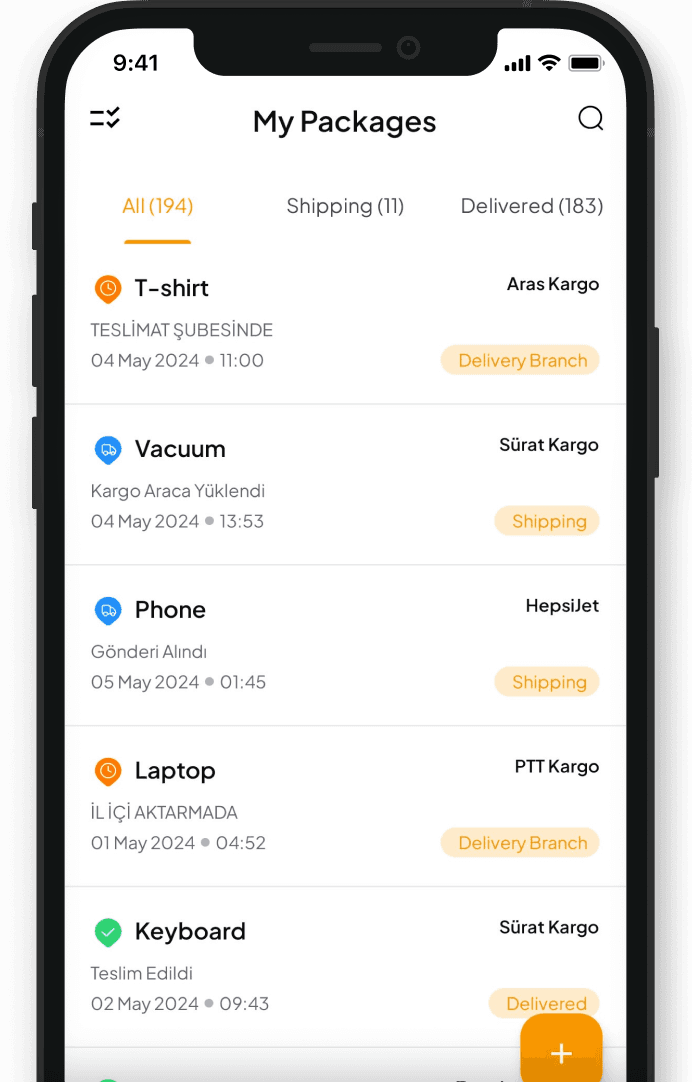
Download the app to your phone from App Store or Play Store now, save your package, and receive instant notifications.


1M+
Downloads
4.6/5
User Rating
100K+
Active Users